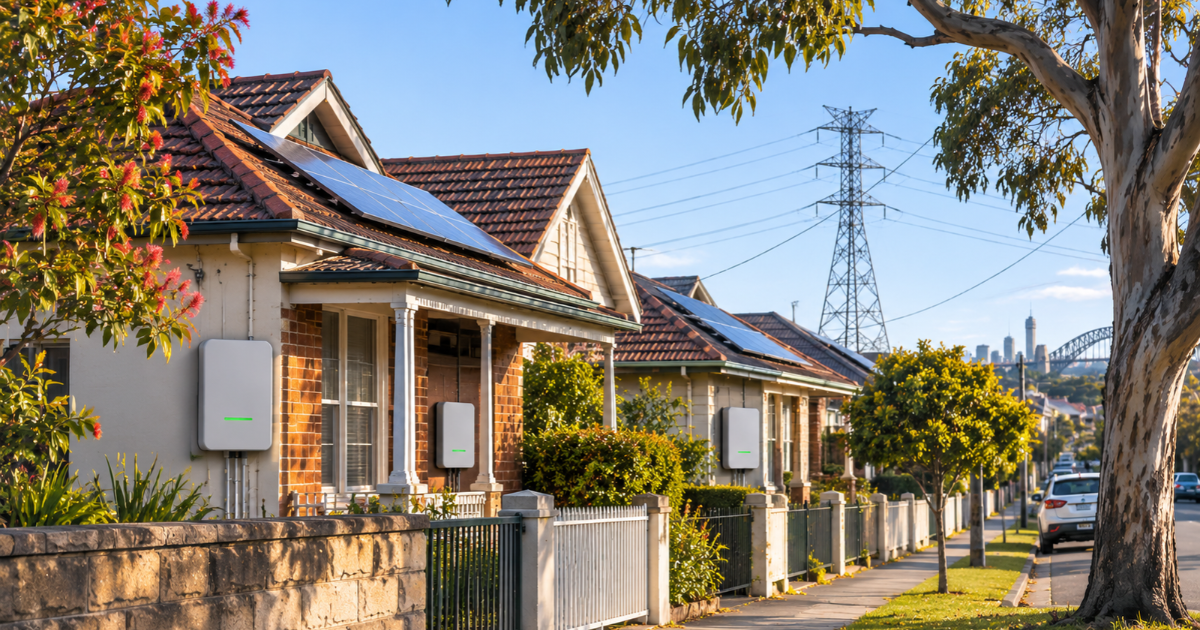
About one in four NSW homes now has rooftop solar, and from November 2026 every new or upgraded system has to play by a new set of rules. The NSW emergency backstop gives the state’s three electricity networks the power to turn down rooftop solar exports, or briefly pause generation, during rare grid emergencies.
For most households, the backstop itself will barely register. The bigger change is what it takes to install solar now. Your inverter must meet a new national standard, be registered with your network, and stay connected to the internet. Get any of that wrong, and your exports could be capped at just 1.5 kW for as long as your system is offline.
Here’s what’s changing, what it means for your quote, and the questions to ask before you sign.
Quick summary
- From November 2026, all new and upgraded NSW solar systems up to 200 kW must be backstop-enabled, with a CSIP-AUS compliant inverter registered with your network.
- Your inverter needs a reliable internet connection. Without one, exports are limited to 1.5 kW, though you can still use all your solar at home.
- Existing systems that aren’t being changed don’t need to do anything.
What’s changing for NSW solar buyers?
The NSW Emergency Backstop Mechanism lets Ausgrid, Endeavour Energy and Essential Energy temporarily reduce rooftop solar exports or pause generation, but only when the Australian Energy Market Operator (AEMO) instructs them to. Western Australia, South Australia, Queensland and Victoria already have similar arrangements.
From November 2026, the requirements are being phased in for:
- New rooftop solar systems up to and including 200 kW.
- Upgraded systems, where an existing system is being changed.
Two things now have to happen on every eligible install:
- A compliant inverter. It must support the Common Smart Inverter Profile – Australia (CSIP-AUS), the standard that lets your network communicate with your inverter.
- Registration. Your installer must register the system with your network’s utility server through the new NSW CER Installer Portal.
If you already have solar and aren’t changing it, no action is needed.
Expert tip
Ask for the inverter’s exact model number on your quote, then check with the installer that it’s CSIP-AUS compliant for your network. A cheaper quote using an older inverter could leave you with a system that can’t be registered.
Why does your solar need the internet?
This is the part of the new rules most buyers don’t see coming. Your inverter communicates with the network over your home internet, which lets it:
- respond to emergency backstop signals
- access higher flexible export limits, if you choose them
- report to your inverter manufacturer’s app, so you can monitor performance.
If your property has no internet, solar can still be installed, but exports are automatically limited to 1.5 kW. The same cap kicks in if your inverter goes offline for an extended period. You can still use all the solar you generate at home. It only limits what you can send to the grid, and therefore your feed-in credits.
The most common ways inverters drop offline are surprisingly ordinary: switching internet providers, replacing your modem, changing your Wi-Fi name or password, or turning the router off.
Expert tip
If your inverter is far from your router, ask about a wired ethernet connection or a dedicated Wi-Fi extender at installation. A weak signal that drops out regularly could quietly cap your exports for weeks before you notice.
What happens during a backstop event?
A backstop is the last item on a long list. It’s only used when sunny, low-demand conditions coincide with another serious grid problem, such as a major generator or transmission line failing. Before it’s triggered, AEMO first tries other measures, such as reducing output from large power stations or asking big industrial users to increase their demand.
If an event does happen, your system may have its exports reduced, or its generation paused, for a short time. Your home stays connected to the grid, so the lights stay on. You might draw a little more power from the grid or your battery than usual, and earn a little less in feed-in credits. Once AEMO says the emergency is over, your network restores normal operation.
How often should you expect this? The NSW Government expects it to be rare. The best-known activations have been in South Australia, including during a November 2022 event when the state was operating separately from the rest of the national grid.
Expert reference
The NSW Government says the backstop is expected to be rare, and that households installing rooftop solar will see little impact. Networks can only activate it on AEMO’s instruction, after other options to stabilise the grid have been tried.
Expert tip
The backstop and flexible exports use the same connection. Once your inverter is online and registered, ask whether your network offers a flexible export limit. It can let you export more than a fixed limit on most days.

Do the rules apply if you’re upgrading?
Yes. The requirements cover upgraded systems as well as new ones. If you’re planning to add panels, replace your inverter or make other changes to an existing system, ask your installer whether the work counts as an upgrade under the new rules.
This matters most if you have an older inverter. An inverter that doesn’t support CSIP-AUS can’t be registered, so any upgrade that triggers the rules may mean replacing it. Factor that into your budget before you commit.
Expert tip
If your inverter is more than a few years old and you’re planning to add a battery or more panels, price a full inverter replacement into your quotes. It’s better to know upfront than to be surprised on installation day.
Questions to ask your installer
Before you sign a quote, ask:
- Is the inverter CSIP-AUS compliant and approved for my network?
- Will you register the system through the NSW CER Installer Portal?
- How will the inverter connect to my internet, and how reliable will that be where it’s mounted?
- Will you set up the manufacturer’s app so I can check the connection myself?
- Does my network offer flexible exports, and is that included?
- If I’m upgrading, does my existing inverter need replacing?
Expert tip
Before your installer leaves, open the inverter app together and confirm it shows as online. Keep a note of your inverter brand, model and installer details, so reconnecting is easy if you change internet providers later.
Getting solar in NSW?
Compare quotes from accredited installers who’ll supply a compliant inverter, register your system and get it online properly from day one.
Frequently asked questions
What is the NSW emergency backstop?
The NSW emergency backstop is a last-resort safety measure that lets Ausgrid, Endeavour Energy and Essential Energy temporarily reduce rooftop solar exports or pause generation during rare grid emergencies. Networks can only activate it when AEMO instructs them to, after other options have been tried, and normal operation resumes once the emergency passes.
Does the backstop apply to my existing solar system?
No, not unless you change it. The requirements apply only to new rooftop solar systems and upgrades to existing systems from November 2026. If you already have solar and aren’t adding panels, replacing the inverter or making other changes, the NSW Government says no action is required.
What happens if my solar inverter isn’t connected to the internet?
Your system still works, and you can use all the solar you generate at home. However, your exports to the grid are automatically limited to 1.5 kW while the inverter is offline for an extended period, which reduces your feed-in credits. Reconnecting the inverter restores normal export limits.
Will a backstop event cut power to my home?
No. A backstop event reduces or pauses your solar, but your home stays connected to the grid. You may draw more power from the grid or your battery during the event. The whole point of the backstop is to avoid wider outages, which would switch off everyone’s power, including solar.
How often will the backstop be used in NSW?
It’s expected to be rare. The best-known activations have been in South Australia, including during a November 2022 event when the state was operating separately from the national grid. AEMO must exhaust other options first, such as reducing large-scale generation or increasing demand from big energy users.
Key takeaways
- From November 2026, new and upgraded NSW solar systems up to 200 kW must be backstop-enabled.
- Your inverter must be CSIP-AUS compliant and registered with your network through the NSW CER Installer Portal.
- A reliable internet connection matters. Without it, exports are capped at 1.5 kW.
- Backstop events are expected to be rare and short, and your home stays connected to the grid.
- Existing systems are unaffected unless they’re upgraded.
Sources
- NSW Emergency Backstop Mechanism (NSW Government)
- Keeping your rooftop solar connected to the internet (NSW Government)
- Preparing for the NSW Emergency Backstop Mechanism fact sheet (NSW Government)
- Operating electricity grids with rooftop solar (AEMO)
- Solar curtailment for minimum system demand events (SA Power Networks)
- What is emergency backstopping and how will it impact my solar system? (Energy Matters)